Code you can see
Movement, sequences, loops, and events. Change a block and see what happens.
Coding adventures and Coding Studio for ages 4–6 and 7–9. Arrange blocks, move Ciko, and create stories, dances, and drawings with a grown-up.
Build commands. Run them. Find your way.
Turn in place. Move one tile forward. Order matters!
Children choose characters, arrange picture blocks, and see the result on stage. Stories, dances, and drawings become programs they can try and change.
Try Coding StudioTry it in your browser with a grown-up. No robot needed.A sequence makes the character move, then say hello.
Movement, sequences, loops, and events. Change a block and see what happens.
Use Ciko, their own avatar, or draw a new character.
Add sounds or record a short voice clip with a grown-up’s permission.
Arrange scenes and backdrops, play the story, and save it on the device.
Three animated 2D simulations. Children try, see the outcome, and discover another way.
Arrange commands, watch Ciko walk, then improve the route.
Forward changes position. Turning changes direction. The right sequence takes Ciko to the star.
From a first little arrow to a story of their own. Every discovery begins with play.
Build a sequence, spot a pattern, and help Ciko find the way.
Choose your character, earn coins by learning, and mix outfits and accessories.
Have mTiny? Try bonus practice levels at the end of a world. Learn fully without a robot, too.
Ciko has a destination. You have an idea to help.
Tap blocks, run the steps, and see what happens.
Not there yet? Change a step. Every attempt counts.
It’s not a race to finish first. It’s a space to experiment, take a break, and discover something together.
An example of a reflection after play

KodingKids selections for ages 4–6 and 7–9. Match the device to your child’s readiness and explore together. Robot kits are optional.
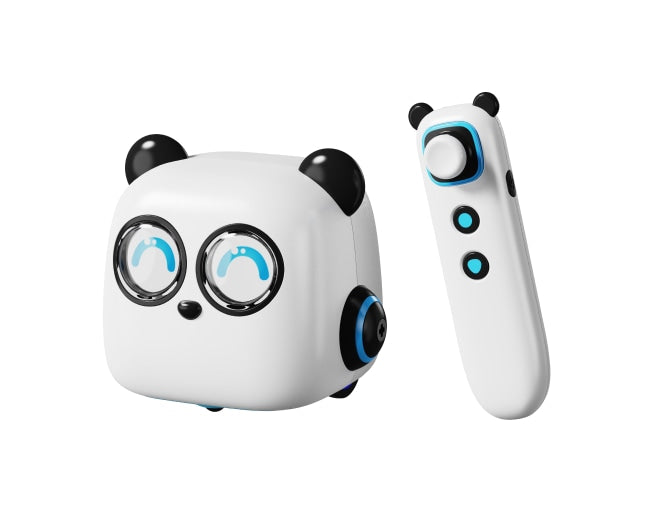
A ready-to-play robot with a tap pen, command cards, and maps. Children sequence movements without a screen, with a grown-up.
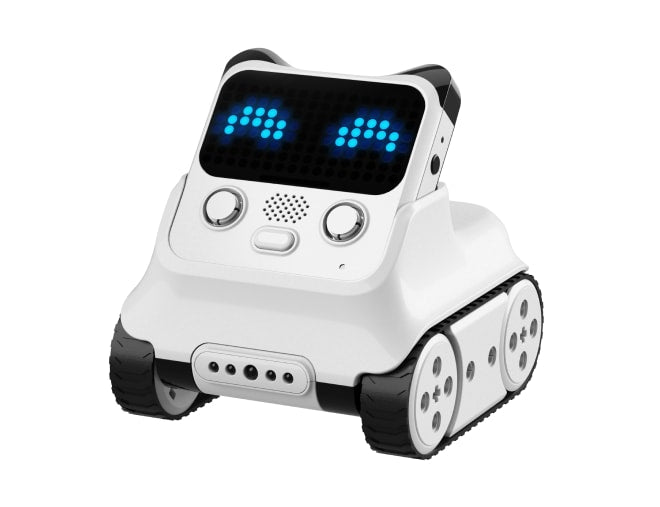
A robot with an LED display and sensors, programmed in mBlock. Explore events, expressions, and responses to colours and lines.
Web activities work without a kit. Physical practice uses Makeblock devices and software; KodingKids does not directly control the robots yet. Photos and logo: Makeblock.
Not necessarily. Early activities use icons, arrows, and visual examples. A grown-up can read instructions aloud, or use the device’s voice reader when available.
Not for on-screen learning. The simulator and coding activities work without a robot. Physical mTiny practice requires your family’s Discovery Kit and a grown-up.
This web app works in computer, tablet, and phone browsers. Apps for Android and iOS are planned and are not available in app stores yet.
This version saves progress and projects in this device’s browser. Parent accounts are available; progress is not yet synced across devices. Grown-ups can export data from the Parents page.
Try it right in your browser. No account needed.